A high-impact engineering website is more than just a service showcase.
It builds trust, shows your skills, and lets clients see if your company can meet their engineering needs.
Here are 7 vital steps to help you create an engineering website that improves visibility, builds trust, and boosts conversions.
1. Showcase Certifications, Standards & Accreditations
Engineering clients prioritize safety, compliance, and technical competence.
Many visitors want to know if your company follows industry rules and standards before using your services.
Examples of Credentials to Highlight
- ISO certifications
- Professional engineering licenses
- Safety management systems
- Engineering association memberships
- Sector-specific compliance standards
Displaying these credentials builds trust from the start. It also makes your engineering company appear more reliable.
2. Define Your Engineering Services Clearly
Once visitors trust your qualifications, they ask, “What engineering services do you offer? Can you fix my problem?”
It doesn’t matter if you’re in civil, mechanical, electrical, or industrial engineering. Your services need to be easy to find and based on keywords.
How to Improve Service Clarity
- Break services into clear, structured sections.
- Use high-search-volume engineering keywords.
- Keep descriptions concise.
This section helps Google understand your expertise and improves ranking for engineering-related searches.
3. Create a Strong Engineering Portfolio
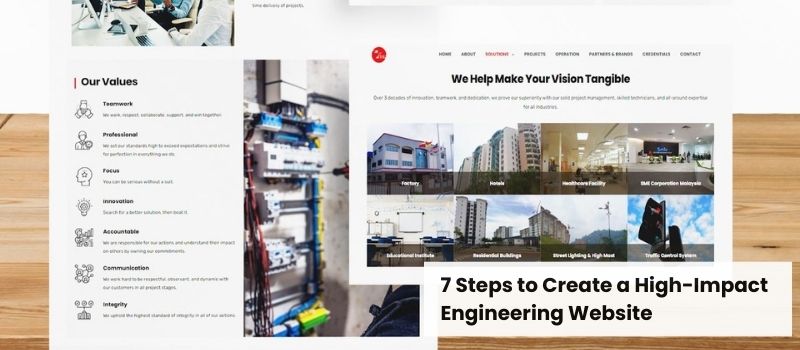
A project portfolio or case study page is a key part of an engineering website. Prospects want real proof of your ability to deliver complex solutions.
What to Include in Your Project Portfolio
- Before-and-after visuals
- Challenges and how they were solved.
- Standards, systems, or technical methods used.
- Measurable project outcomes
Strong project pages are vital for procurement teams, project managers, and investors.
4. Build High-Authority Engineering Content
Educational content shows that your engineering team understands industry challenges and has got the expertise to solve them.
Popular High-Search-Volume Content Ideas
- “What is Mechanical Engineering Design?”
- “Types of Civil Engineering Projects”
- “Benefits of Preventive Maintenance in Industrial Plants”
Content Formats to Include
- Blog articles
- Technical guides
- FAQs
- White papers or checklists
This content draws in visitors at the top of the funnel and boosts your authority in engineering.
5. Optimise for High-Value Engineering SEO Keywords
Good SEO makes it simple for decision-makers to find your engineering website when they search for services and solutions.
SEO Best Practices
- Use engineering keywords with a high search volume.
- Optimize H2/H3s for long-tail topic variations.
- Add descriptive alt text and metadata.
- Build internal links to distribute authority.
When implemented correctly, SEO increases visibility and generates consistent inbound engineering leads.
6. Focus on Website Speed & Mobile Responsiveness
Engineering clients often browse from mobile devices or on-site environments. Slow websites reduce engagement and trust.
Performance Essentials
- Use fast hosting and lightweight code.
- Compress technical drawings and images.
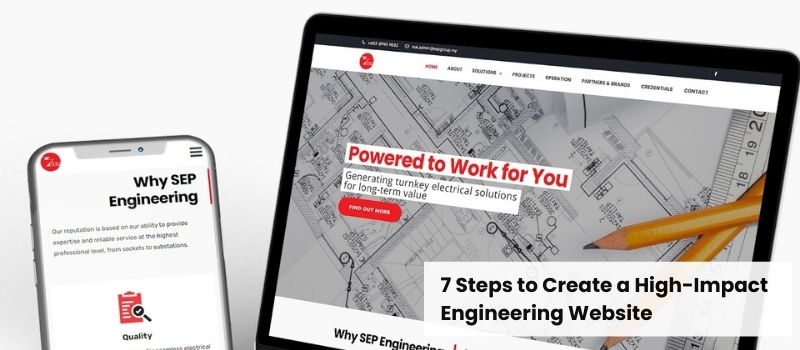
- Implement responsive design.
- Avoid excessive animations.
A fast, mobile-friendly website improves user satisfaction and enhances search engine rankings.
7. Strengthen Calls-to-Action (CTAs) & Lead Generation
Once visitors are aware of your skills, services, and experience, help them take action.
Effective CTA Ideas
- “Request an Engineering Consultation”
- “Download Our Capabilities Statement”
- “Get a Project Estimate”
Simple forms and clear contact details help convert visitors into qualified leads.
Transform Your Engineering Website with The Origin Solution
A strong engineering website can bring in top clients and highlight your company’s abilities.
Your website is usually the first thing clients see. So, it’s important to make it count.
Contact The Origin Solution today. We’ll help you build a professional website that reflects your engineering skills.
Related article: How to Design a Professional Information Technology Website